The 2026 World Cup is the most ambitious 4K production in the tournament’s history. All 104 matches are being produced and distributed in 4K with HDR, split across FOX, which carries 70 matches, and FS1, which carries the other 34. The picture you actually see, though, depends entirely on the service you stream through and the gear in your living room. Some platforms pass the full 4K HDR feed straight to your TV, while others top out at standard high definition. Here is exactly how to watch the 2026 World Cup in 4K, which services carry the real Ultra HD feed, and what you need at home to see it.
Which Services Carry the 4K World Cup Feed
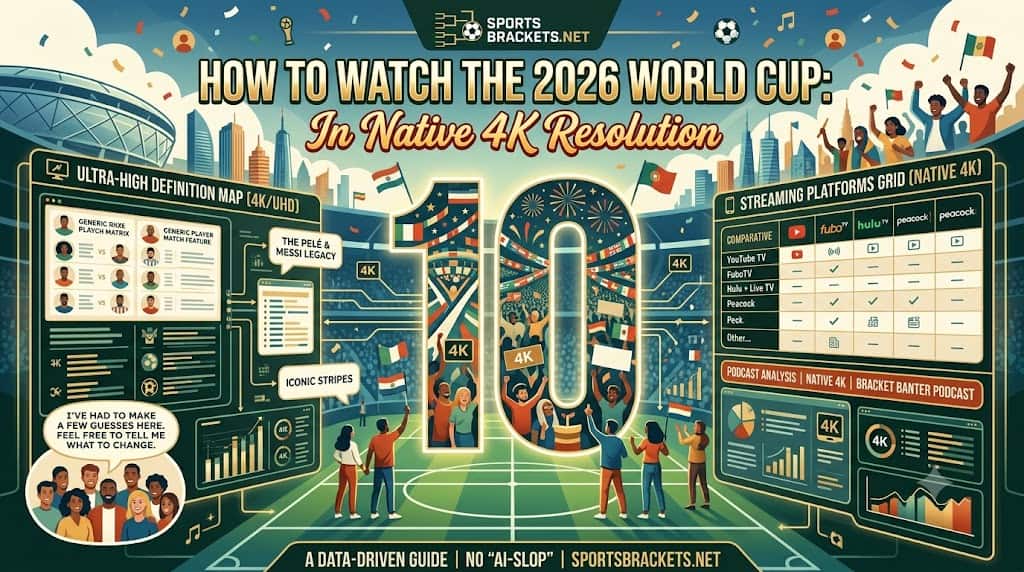
| Service | How to Get 4K | Carries | Notes |
|---|---|---|---|
| FOX Sports App | Free with a TV provider login | FOX and FS1, all 104 matches | 4K on Roku, Apple TV 4K, and Amazon Fire TV devices |
| FOX One | About $19.99 per month, 7-day trial | FOX and FS1, all 104 matches | Cheapest standalone route to the 4K feed |
| FuboTV | Elite tier, about $94.99 per month | FOX and FS1, all 104 matches | Full 4K with a short free trial |
| YouTube TV | Base plan plus 4K Plus add-on (extra $9.99 per month) | FOX and FS1 | 4K only unlocks with the add-on |
| DirecTV | Choice, Ultimate, or Premier tier | FOX and FS1 4K channels | 4K channels mirror the live feed |
| Xfinity (RealTime4K) | Included on supported X1 and Flex boxes | FOX and Telemundo, all 104 matches | UHD with Dolby Vision HDR and Dolby Atmos sound |
| Sling TV | No 4K in the Sling guide | HD only in-app | Use the bundled FOX Sports App for the 4K feed |
What You Need at Home for True 4K
Subscribing to a 4K service is only half the job. To see the full Ultra HD picture, you also need the right hardware and a steady connection. Here is the checklist.
- A 4K HDR television: the feed carries HDR, so a set that supports HDR10 or Dolby Vision will show the widest range of color and contrast.
- A capable streaming device: Roku, Apple TV 4K, and Amazon Fire TV all run the FOX Sports App in 4K. Built-in smart-TV apps work too if the set is a 4K model.
- Enough bandwidth: plan on roughly 25 Mbps or more of steady download speed per 4K stream to avoid the picture dropping back to HD.
- The right plan or add-on: confirm your service actually includes 4K, since YouTube TV needs the 4K Plus add-on and Sling does not carry 4K in its own guide.
Native 4K vs Upscaled: What to Expect
If your service carries the FOX 4K feed, you are getting the genuine Ultra HD broadcast rather than an HD signal stretched to fit your screen. That said, modern televisions upscale HD extremely well, so an HD stream on a quality 4K set still looks sharp. The biggest visible upgrades from the true 4K feed are in HDR color and fine detail, like the texture of the pitch and the crowd in the background. If you cannot get the 4K feed on a given service, an HD stream remains a strong fallback. For the official broadcaster details and match availability, see the FOX Sports World Cup hub.
Frequently Asked Questions
Are all 2026 World Cup matches available in 4K?
Yes. All 104 matches are produced in 4K with HDR and carried across FOX, which shows 70 matches, and FS1, which shows the other 34. Whether you see the 4K picture depends on the service you stream through.
What is the cheapest way to watch the World Cup in 4K?
If you already have a TV provider, the FOX Sports App streams the 4K feed at no extra cost once you log in. Among standalone options, FOX One at about $19.99 per month is the cheapest route to the 4K broadcast.
Can I watch the World Cup in 4K on Sling TV?
Not directly. Sling TV does not carry 4K channels in its own guide, so matches play in HD within the app. A Sling subscription does include the FOX Sports App, however, which will show the games in 4K on a supported device.
Do I need a special TV to watch in 4K?
You need a 4K television, ideally one that supports HDR10 or Dolby Vision, plus a 4K streaming device or built-in app and around 25 Mbps of steady internet speed per stream.
More 2026 World Cup Resources
- 2026 FIFA World Cup Central – schedules, brackets, and printable time-zone grids.
- 2026 World Cup City Schedules – match-by-match guides for all 16 host cities.
- 2026 World Cup Standings – live group tables for all 12 groups.
- 2026 World Cup Group of Death – what the data models say about the toughest group.
Don't Just Track the Bracket. Play for On-Chain USDC Rewards.
Take your 2026 World Cup predictions to the next level. Join 100+ managers already registered in the $BRACKETS League App-the premier high-performance fantasy sports playground.
⚡ Sign up in under 30 seconds via Email, Socials, or your favorite crypto wallet.